Why Your Google Business Profile Isn’t Getting Calls (And How to Fix It)

Updated: Sep 1
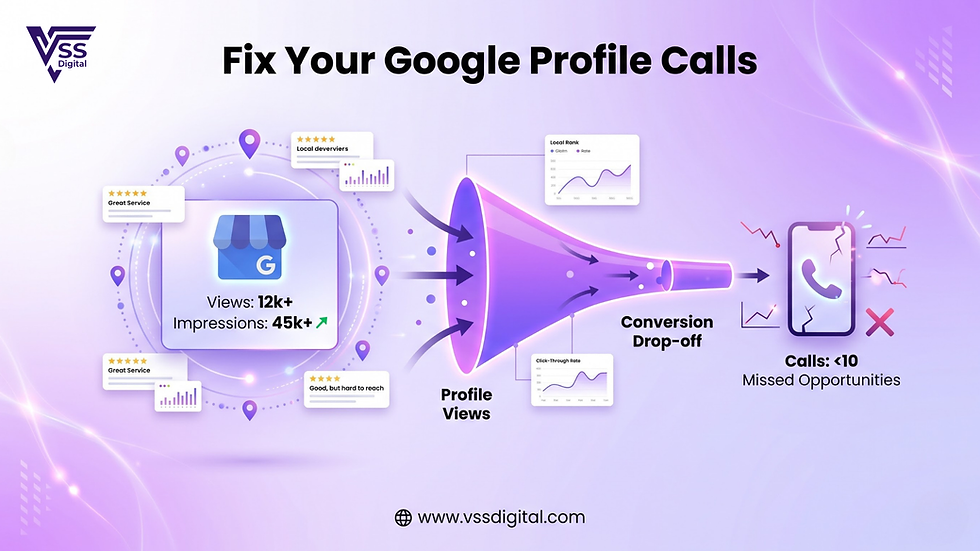
Many businesses create a Google Business Profile expecting it to start generating calls and enquiries automatically.
But after a few weeks, they realize something frustrating — their profile is getting views but not calls.
If your Google Business Profile isn’t generating enquiries, the problem usually lies in optimization, visibility, or trust signals.
At VSS Digital, we analyze local business listings regularly and have identified the most common reasons why profiles fail to convert views into calls.
Let’s break them down.
1. Your Profile Is Not Fully Optimized
Many businesses create a profile but leave it incomplete.
Common issues include:
Missing services or product details
No business description
Wrong categories
Outdated contact information
An incomplete profile signals to Google that your listing is not active or relevant.
Fix: Complete every section of your profile, including services, description, operating hours, and contact details.
2. Low Number of Reviews
Customers rarely call businesses with very few reviews.
When people search on Google, they often compare:
Star ratings
Number of reviews
Quality of feedback
If your competitor has 150 reviews and you have only 10, customers are more likely to contact them.
Fix: Encourage happy customers to leave reviews regularly.
3. Lack of Photos and Visual Content
Listings with more photos tend to get significantly higher engagement.
Photos help customers understand:
Your location
Your services
Your environment
Profiles with no photos often appear inactive or unreliable.
Fix: Upload images such as:
Exterior and interior photos
Team photos
Service demonstrations
4. Poor Local SEO Optimization
If your profile does not appear in top local search results, customers won’t find you.
This happens when:
Keywords are missing
Categories are incorrect
Location relevance is weak
Fix: Use location-specific keywords in your description and services.
Example: “Best dental clinic in Chandigarh” “Salon services in Sector 15”
5. Slow Response to Customer Queries
Google tracks engagement signals such as:
Message response time
Call interactions
Profile activity
If customers message your profile and don’t get a quick response, they move to another business.
Fix: Enable messaging and respond quickly to enquiries.
6. No Regular Posts or Updates
Inactive profiles often receive lower visibility.
Posting updates helps show that your business is active.
Examples of posts:
Special offers
New services
Customer testimonials
Business updates
Regular posting increases engagement and visibility.
How to Turn Your Google Business Profile Into a Lead Machine
To increase calls and enquiries:
Complete your profile fully
Collect more positive reviews
Add high-quality photos regularly
Use local keywords
Post updates weekly
Respond to customers quickly
When optimized correctly, your Google Business Profile can become one of your most powerful lead generation tools.
How VSS Digital Helps Businesses Improve Google Visibility
At VSS Digital, we help businesses:
Improve local search rankings
Increase reviews and credibility
Generate consistent local enquiries
Convert profile views into calls
Our goal is simple — turn Google searches into customers.
Want More Calls from Your Google Business Profile?
If your business profile isn’t generating enough enquiries, the right optimization strategy can make a huge difference.
Contact VSS Digital, a trusted Digital Marketing Agency in Hubli, India, today and start turning your Google visibility into real business growth.

Comments